Web HostingBudget-friendly shared hosting plans
 Domains SearchFrom .com to unique country domains, explore and register extensions worldwide.
 WordPress HostingPower your blog or business with WordPress hosting.
 Email HostingSimple, secure email hosting that helps you stay connected and professional.
 Reseller HostingStart your own hosting business with easy and reliable reseller hosting plans.
 AffiliateJoin our affiliate program and earn commissions every time you bring in new customers.
 cPanel HostingHosting powered by cPanel, the world’s most user-friendly control panel.
 Windows HostingBuilt for Windows applications and websites
 IN Domain PricesDon’t miss out on the best domain deals in India!
 WHOIS LookupFind out who owns a domain name with a quick and easy WHOIS search.
 Domain TransferTransfer your domain to us and enjoy reliable support every step of the way.
 .Com DomainGet the most trusted domain for worldwide credibility
 All TldsSearch and register domain extensions worldwide.
 SSL CertificatesProtect your website with trusted SSL certificates and keep customer data safe.
 VPS HostingPowerful virtual servers. Full root access. Reliable uptime.
 Managed VPS HostingNot a tech expert? Choose our fully managed VPS service.
 Dedicated ServersTake full power and total control of your own physical server.
 AI Website BuilderCreate stunning websites instantly with our easy AI builder.
 Online ShopBuild your eCommerce store easily, no coding, just growth.
 Web Design ServicesGet a website built for your brand and designed for your goals.
 Contact UsReach out to us for support or questions.
 SupportGet answers and how-to guides for all our services.
 BlogRead our latest blogs on web hosting, online business, digital marketing, and other helpful topics.
Are you a beginner who just wants a clean, simple interface?
A developer who needs advanced tools and flexibility?
An agency managing dozens of client sites?
Or a business owner worried about performance, security, and cost?
Choosing the wrong hosting control panel can mean wasted time, unexpected expenses, and a steep learning curve that slows you down.
However, choosing the right one can make managing your hosting feel effortless.
In this guide, we’ll break down cPanel vs Plesk.
By the end, you’ll understand the differences in their features and pricing, so you can confidently decide which one fits your needs best.
Briefly: What is a Web Hosting Control Panel?
A web hosting control panel is a Graphical User Interface (GUI) provided by your hosting provider.
It helps you manage your website and hosting account without needing to learn server commands or advanced coding skills.
Think of it as the dashboard of your website’s backend.
Instead of typing commands, it lets you do tasks with a few clicks. These tasks include:
- Scheduling backups
- Uploading files
- Creating email accounts
- Installing applications
- Managing databases
- Configuring security features
- Setting DNS records
What is cPanel?
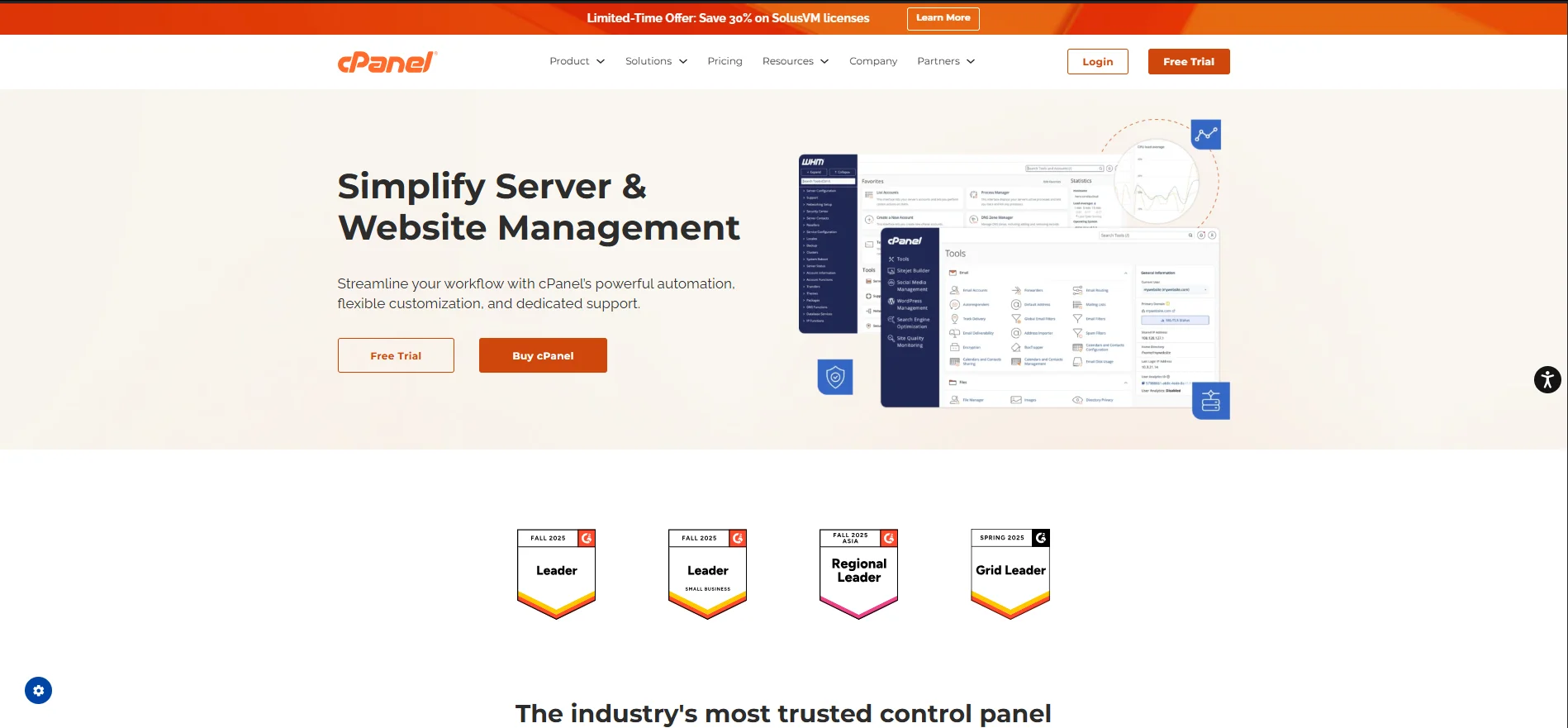
cPanel is the industry standard control panel for Linux-based web hosting.
It’s been around for many years and is supported by many hosting companies and millions of websites globally.
It’s split into two interfaces:
cPanel (user-level panel) – for everyday tasks like managing files, email, and databases.
WHM (Web Host Manager) – for server administrators and resellers, offering deeper control over server configuration and user accounts.
What is Plesk?
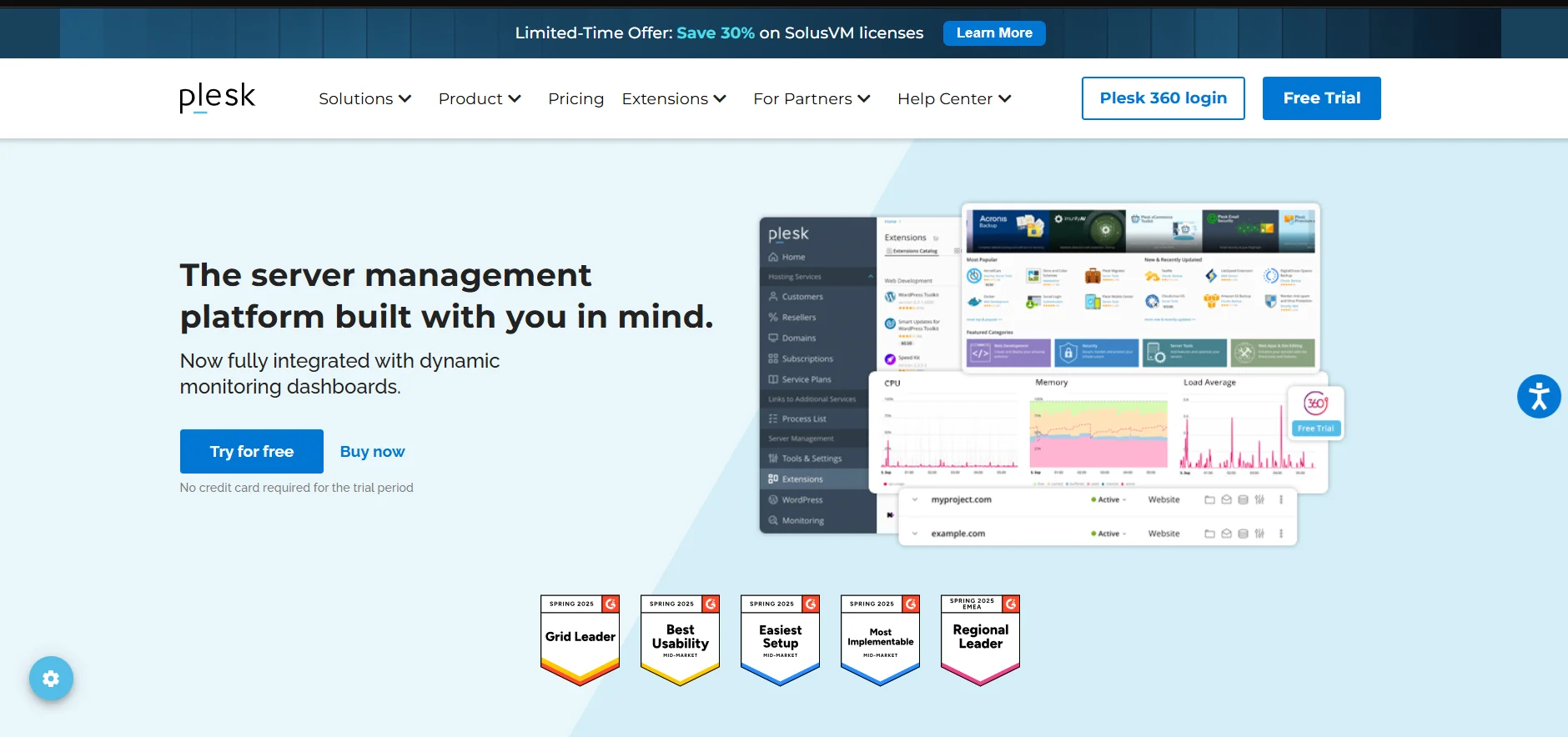
Plesk is another top-tier hosting control panel used widely by hosting providers around the world.
Unlike cPanel, Plesk supports both Linux and Windows.
With Plesk, everything is managed from a single dashboard with two layout modes.
Rather than creating different panels for different users, Plesk keeps everyone in one workspace and limits access according to role settings.
cPanel vs Plesk: A Comparison of Features

Support for Operating Systems
Compatibility with the server operating system determines deployment flexibility.
cPanel: Linux-only (AlmaLinux, CloudLinux, Rocky Linux, Ubuntu).
Plesk: Supports both Linux and Windows (Ubuntu, Debian, AlmaLinux, RHEL).
Takeaway: Plesk is the only choice for Windows hosting among the two; both work well on Linux.
Database Management
Databases store website and application data.
Effective tools enable you to:
a) Create, edit, and secure databases
b) Manage users
c) Ensure applications run smoothly
cPanel: Supports MySQL and MariaDB by default. PostgreSQL is available but requires manual setup.
Plesk: Offers MySQL, MariaDB, and PostgreSQL with full panel integration, providing more flexibility for developers.
Takeaway: cPanel works well for MySQL/MariaDB projects. Plesk is ideal if you need great PostgreSQL support.
Server Account Management
Server account management allows administrators to:
1) Create user accounts
2) Assign role
3) Set quotas
4) Manage permissions for security and organization
cPanel: Uses WHM to create and manage individual accounts, perfect for resellers or client management.
Plesk: Offers role-based access with granular permissions, logging user activity, and multiple role options (admin, reseller, client).
Takeaway: cPanel is excellent for reseller setups. Plesk provides more flexibility with roles and a modern interface.
Domain Name System (DNS) Management
DNS management controls how domain names are translated into IP addresses, ensuring websites and emails work correctly.
Core tasks include:
a) Configuring A, CNAME, MX, and TXT records
b) Setting up subdomains
c) Ensuring proper email delivery
cPanel: Works with WHM and supports DNSSEC, but enabling it can be manual and slightly complex.
Plesk: Simplifies DNSSEC via a paid extension and includes DNS templates for bulk changes, easing management of multiple domains.
Takeaway: For basic DNS management, cPanel is sufficient. For managing many domains or clients, Plesk adds convenience but comes at a higher cost.
Mailing Infrastructure Management
Hosting panels manage email servers, accounts, authentication, and security, making email administration easier.
cPanel: Uses Exim (SMTP) and Dovecot (IMAP/POP3). Supports DKIM, SPF, and DMARC, though setup is manual.
Plesk: Uses Postfix and integrates DKIM, SPF, and DMARC directly in the UI. Optional security tools like Fail2Ban enhance protection.
Takeaway: cPanel provides flexibility and customization. Plesk offers easier, built-in email security and management.
SSL Certificate Management & Automation
SSL certificates encrypt website traffic and enhance trust. Automatic issuance and renewal streamline security.
cPanel: AutoSSL uses Let’s Encrypt; wildcard SSL is supported only with local DNS.
Plesk: Native Let’s Encrypt integration supports standard and wildcard certificates, with auto-renewal when DNS is local. External DNS requires manual TXT updates for wildcards.
Takeaway: Both panels handle SSL well; Plesk makes wildcard automation easier.
Backups
Backups protect against data loss due to server failures, errors, or hacks.
Automated scheduling and restore options are essential for reliability.
cPanel: WHM Backup Configuration supports full/partial backups and remote storage to services like S3, Google Drive, FTP/SFTP, or custom storage.
Plesk: Offers granular backups for servers, subscriptions, or individual files, one-click restore, and multiple off-site storage extensions.
Takeaway: Both panels provide secure backup options; choose based on your preferred workflow.
Installing Additional Services & Apps
Control panels can extend functionality through apps or add-ons for security, development, and server management.
cPanel: Depends on third-party tools like Softaculous for app installations.
Plesk: Offers a native Extensions Catalog for Docker, Git, security add-ons, and more.
Takeaway: cPanel relies on external installers. Plesk provides a built-in marketplace for expansion.
WordPress Support
Control Panels can simplify installing, configuring, staging, cloning, updating, and securing WordPress sites.
Plesk: Includes the WordPress Toolkit natively.
It offers a comprehensive management suite that allows for:
a) one-click installation
b) Mass updates (themes/plugins/core)
c) Security hardening, cloning, and staging environments directly within the main dashboard.
cPanel: cPanel traditionally relied on Softaculous for installation, but it has bridged the gap with its own WordPress Toolkit.
However, it is often considered less comprehensive than Plesk’s, which is viewed as more tightly integrated with the system.
Takeaway: Both are equally capable for WordPress support.
Firewall & Security Management
Security tools protect servers from unauthorized access, malware, and attacks.
cPanel: Relies on third-party firewalls like CSF.
Plesk: Built-in firewall, Fail2Ban, and ModSecurity extensions provide out-of-the-box protection.
Takeaway: Both can be secured effectively, but Plesk offers more native tools.
Multi-Server and Multiple VPS Management
Multi-server management allows centralized control for scaling and managing multiple VPS instances.
cPanel: Supports DNS and configuration clusters for multi-server deployments.
Plesk: No native multi-server management; each server must be managed separately.
Takeaway: cPanel is better for multi-server or multi-VPS environments.
Ongoing Monitoring via Web Interface
Monitoring helps track server health, CPU load, memory usage, and uptime to prevent downtime.
cPanel: WHM Server Status and 360 Monitoring plugin offer essential metrics.
Plesk: Monitoring extension includes Grafana dashboards, alerts, and customizable metrics.
Takeaway: cPanel covers basics; Plesk offers advanced visualization and alerting.
IPv6 Support
IPv6 ensures modern networking compatibility alongside IPv4.
cPanel vs Plesk: Both fully support IPv6.
Takeaway: Not a deciding factor.
cPanel vs Plesk: Price Comparison

When selecting a hosting control panel, cost matters as much as functionality.
cPanel and Plesk both use subscription-based licenses, but their pricing structures are very different.
How cPanel Pricing Works
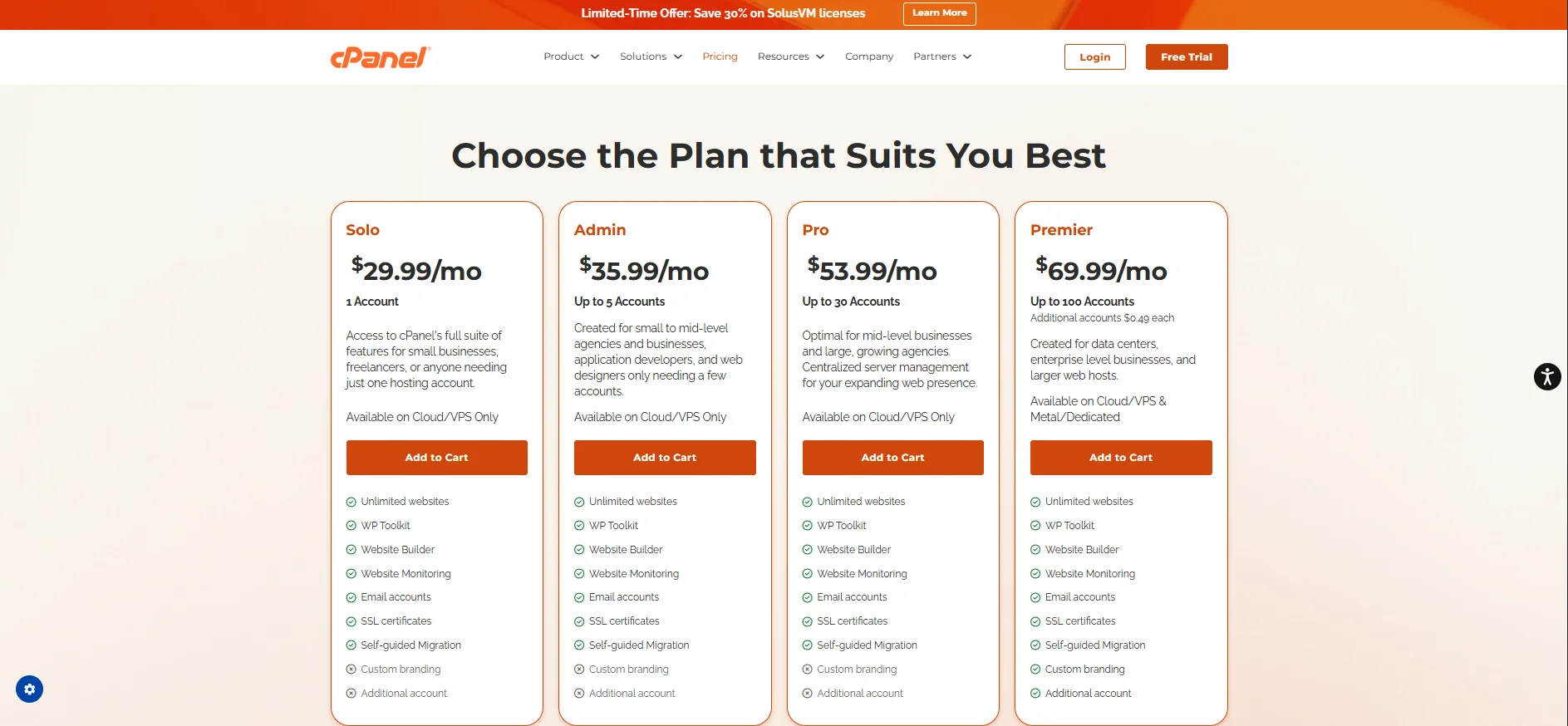
cPanel pricing is based on the number of accounts you run on a server.
Each account manages websites, files, domains, and other server resources.
While a single cPanel account can host unlimited websites, the total license cost increases with every additional account.
The plans as of writing are:
- Solo ($29.99/mo): Restricted to 1 account.
- Admin ($35.99/mo): Up to 5 accounts.
- Pro ($53.99/mo): Up to 30 accounts.
- Premier ($69.99/mo): Up to 100 accounts.
- Accounts over 100 incur an additional fee ($0.49 per extra account).
Takeaway:
cPanel’s per-account pricing requires careful planning.
You need to estimate how many accounts you’ll need on each server to avoid unexpected cost increases.
As such, cPanel becomes more ideal for small hosting setups, resellers, or environments where the number of accounts remains relatively stable.
If you are a large-scale provider, you may find it less predictable and a bit expensive.
How Plesk Pricing Works
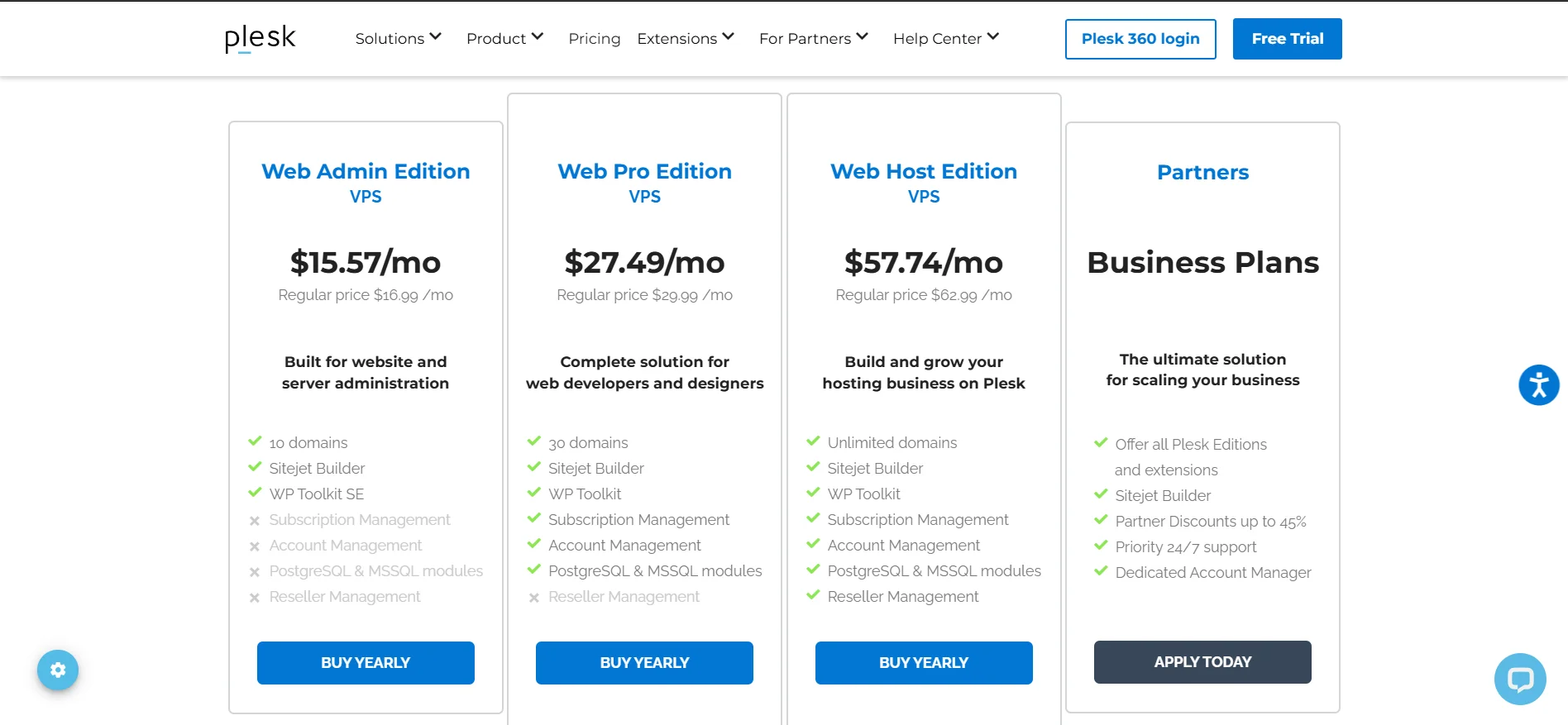
Instead of charging per account, Plesk’s charges are determined by the edition you choose and a little by the type of server infrastructure.
Editions overview & price as of writing:
- Web Admin Edition ($16.99/mo)
- Intended for basic website and server administration.
- Supports up to 10 domains.
- Includes Sitejet Builder and WP Toolkit SE.
- Web Pro Edition ($29.99/mo)
- Built for web developers and designers.
- Expands support to 30 domains.
- Unlocks the full WP Toolkit.
- Adds subscription and account management.
- Includes PostgreSQL and MSSQL database modules.
- Web Host Edition ($62.99/mo, $69.99/mo for Dedicated Servers)
- The most comprehensive package.
- Supports unlimited domains.
- Includes reseller management.
- All Pro Edition features included (Sitejet, WP Toolkit, subscription/account management, PostgreSQL/MSSQL).
Takeaway:
For Plesk, you pick the edition that fits your needs without stressing about per-account scaling costs as you grow. Domains are the only potential limitation.
This makes it easier for you to budget.
Truehost: Choose cPanel or Plesk, Your Way
When deciding between cPanel and Plesk, the hosting provider you choose matters just as much as the control panel itself.
Truehost gives you the flexibility to pick the control panel that best fits your workflow and goals.
For cPanel Users

Truehost’s cPanel hosting environment is optimized for stability and ease of use.
It is ideal for individuals, businesses, and resellers who want a familiar, industry-standard interface.
With Truehost’s cPanel plans, you benefit from:
- Daily automatic backups
- Professional email with your domain
- One-click CMS and app installations (WordPress, Joomla, Drupal)
- SSD Storage
- Full cPanel file and database access
The infrastructure is designed to handle everything from single websites to multiple hosted accounts.
There are also scalable VPS options available for when your traffic grows.
To learn more about Truehost’s cPanel plans, click here.
For Plesk Users

If you prefer Plesk, Truehost provides an environment that fully supports its modern interface and developer tools.
This is particularly valuable for agencies, developers, and businesses running Windows-based applications.
Truehost’s Plesk hosting includes:
- Linux and Windows server compatibility
- One-click installation for WordPress and top apps
- Support for MySQL and MSSQL databases
- Built-in database storage
- Advanced security tools. such as firewall integration and malware protection
- Quick app and domain setup with simple tools
- Free SSL Certificate, automatically installed
Because Plesk supports Windows, it becomes the better choice for users running ASP.NET or MSSQL databases.
Click here to get more information on Truehost’s Plesk and Windows hosting.
Performance and Support Advantages
Truehost strengthens both control panels with reliable infrastructure and technical expertise.
You are not just getting the software; you are getting an environment configured to run it efficiently.
Key benefits include:
- 24/7/365 technical support trained in both cPanel and Plesk
- Migration assistance if switching from another provider
- Scalable VPS and dedicated server options
- Consistent uptime (99.9%) and performance monitoring
Conclusion
When deciding between cPanel and Plesk, it ultimately comes down to your operating system, technical knowledge, and hosting goals.
- Choose cPanel if you’re on a Linux server and prefer a widely used platform with strong community support.
- Choose Plesk if you need Windows hosting, modern tools, and integrated developer features.
With Truehost, you don’t have to compromise.
You can select the control panel that fits your workflow and hosting environment while enjoying high uptime, scalable resources, and 24/7 support.
Whether you’re a beginner or an experienced developer, Truehost ensures your hosting experience is smooth and stress-free.
To learn more about Truehost services, visit our website’s main page.