Web HostingBudget-friendly shared hosting plans
 Domains SearchFrom .com to unique country domains, explore and register extensions worldwide.
 WordPress HostingPower your blog or business with WordPress hosting.
 Email HostingSimple, secure email hosting that helps you stay connected and professional.
 Reseller HostingStart your own hosting business with easy and reliable reseller hosting plans.
 AffiliateJoin our affiliate program and earn commissions every time you bring in new customers.
 cPanel HostingHosting powered by cPanel, the world’s most user-friendly control panel.
 Windows HostingBuilt for Windows applications and websites
 IN Domain PricesDon’t miss out on the best domain deals in India!
 WHOIS LookupFind out who owns a domain name with a quick and easy WHOIS search.
 Domain TransferTransfer your domain to us and enjoy reliable support every step of the way.
 .Com DomainGet the most trusted domain for worldwide credibility
 All TldsSearch and register domain extensions worldwide.
 SSL CertificatesProtect your website with trusted SSL certificates and keep customer data safe.
 VPS HostingPowerful virtual servers. Full root access. Reliable uptime.
 Managed VPS HostingNot a tech expert? Choose our fully managed VPS service.
 Dedicated ServersTake full power and total control of your own physical server.
 AI Website BuilderCreate stunning websites instantly with our easy AI builder.
 Online ShopBuild your eCommerce store easily, no coding, just growth.
 Web Design ServicesGet a website built for your brand and designed for your goals.
 Contact UsReach out to us for support or questions.
 SupportGet answers and how-to guides for all our services.
 BlogRead our latest blogs on web hosting, online business, digital marketing, and other helpful topics.
You’ve probably experienced this before:
A website takes too long to load. A checkout page crashes right when you’re about to pay. Or worse, the entire site goes offline during peak traffic.
So, how do big websites handle millions or even billions of users without breaking?
There are many answers to this, and one of them is load balancing.
In this guide, you’ll learn exactly what load balancing is, how it works, and why it’s one of the most important pieces of modern web infrastructure.
What Is Load Balancing?
Load balancing is the process of distributing incoming traffic across multiple servers instead of sending everything to just one.
A load balancer acts like a traffic manager. It receives user requests and decides which server should handle each one.
Instead of overloading a single server, the workload is spread out.
Difference Between Load Balancers and CDNs
Load balancers and Content Delivery Networks (CDNs) both improve website performance, but they serve different purposes.
A Load Balancer distributes incoming traffic across multiple servers in a single location to ensure high availability and prevent overloads.
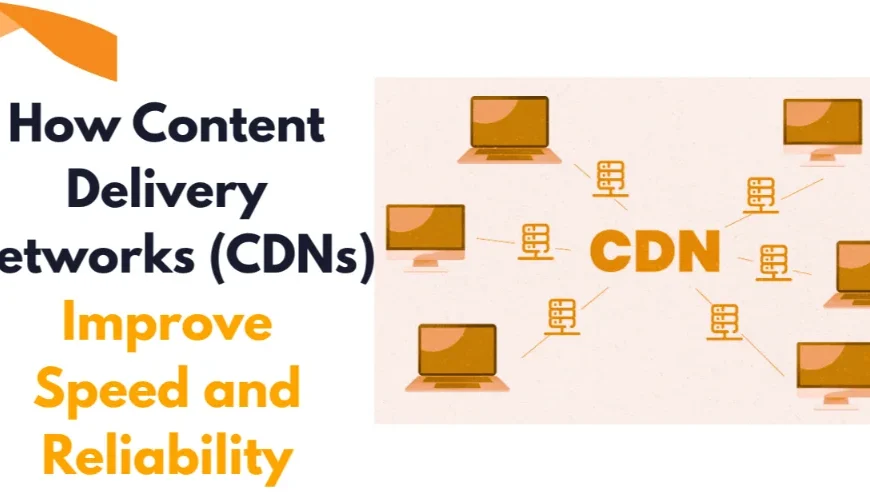
On the other hand, a CDN caches static content on a global network of servers to reduce latency by serving data from locations close to users.
To learn more about how CDNs work, read this article.
How Load Balancing Works
Here’s a step-by-step look at what happens when a user accesses a load-balanced website:
1) User sends a request – A visitor types your URL or clicks a link. The request travels over the internet to your infrastructure’s entry point.
2) Request hits the load balancer – Instead of going directly to a server, the request arrives at the load balancer first. This hardware or software sits in front of your server pool.
3) Load balancer evaluates the situation – The load balancer checks the health and capacity of all available servers, then applies a distribution algorithm to decide which server gets this request.
4) Request is forwarded – The load balancer sends the request to the chosen server.
5) Server processes and responds – The selected server handles the request (loads a page, processes a payment, fetches data) and sends the response back.
6) Response is delivered – The response goes back through the load balancer (or directly to the user, depending on the setup), and the user sees their content.
This entire process happens in milliseconds.
To make this work effectively, the load balancer continuously runs health checks, pinging each server at regular intervals to confirm it’s online and responsive.
Any server that fails a health check is temporarily removed from the pool until it’s healthy again.
Load Balancing Algorithms
Load balancers rely on algorithms to decide how traffic should be distributed. Each algorithm is designed for specific scenarios.
Round Robin
Round Robin is the simplest load balancing method.
Requests are distributed sequentially across servers.
The first request goes to Server A, the second to Server B, the third to Server C, and the cycle repeats.
This works well when all servers have equal capacity and similar workloads.
However, it doesn’t consider real-time server performance, which can lead to uneven distribution in more complex environments.
Weighted Round Robin
Weighted Round Robin improves on the basic version by assigning weights to servers.
Servers with higher capacity receive more requests, while weaker servers handle fewer requests.
For example, a powerful server might get three times more traffic than a smaller one.
This approach ensures better distribution when your servers are not identical.
IP Hash
IP Hash uses the client’s IP address to determine which server handles the request.
Each IP is mapped to a specific server, ensuring that a user is consistently directed to the same server.
This is useful for applications that require session persistence, such as login-based systems.
However, it can lead to uneven load distribution if certain users generate more traffic than others.
Least Connections
The Least Connections algorithm sends traffic to the server with the fewest active connections.
Instead of following a fixed pattern, it adapts in real time.
This makes it more efficient in environments where user sessions vary in length or complexity.
Servers that are already busy receive fewer new requests, preventing overload.
Least Response Time
This method considers both the number of active connections and the server’s response time.
Requests are directed to the server that is currently responding the fastest.
It’s one of the most dynamic and efficient algorithms, especially for high-performance applications.
By prioritizing speed, it ensures users get the quickest possible response.
Types of Load Balancers
Load balancers come in different types depending on where and how they operate within your infrastructure.
Network Load Balancers
Network load balancers operate at the transport layer (Layer 4 of the OSI model).
They route traffic based on IP addresses and ports without inspecting the content of the request.
This makes them extremely fast and efficient.
They are ideal for handling large volumes of traffic where speed is critical, such as gaming platforms or streaming services.
Application Load Balancers
Application load balancers operate at the application layer (Layer 7).
They can inspect the content of requests and make more intelligent routing decisions.
For example, they can direct traffic based on URLs, headers, or user behavior.
This makes them suitable for complex web applications where different types of requests need different handling.
Virtual Load Balancers
Virtual load balancers are software-based solutions that run on virtual machines or cloud environments.
They offer flexibility and scalability without requiring dedicated hardware.
You can easily configure and adjust them based on your needs.
They are widely used in modern cloud infrastructure due to their cost-effectiveness and ease of deployment.
Global Server Load Balancers
Global Server Load Balancers (GSLB) distribute traffic across servers located in different geographic regions.
They route users to the nearest or best-performing data center.
This reduces latency and improves user experience worldwide.
GSLBs are essential for large-scale applications serving global audiences.
Load Balancing in Cloud vs VPS Environments
When implementing load balancing, your hosting environment plays a major role.
Both cloud and VPS environments support load balancing, but they differ in flexibility, scalability, and ease of management.
Cloud Environments
Cloud hosting is designed for scalability.
You can automatically add or remove servers based on traffic demand. Load balancing in the cloud is often built-in and highly automated.
This makes it ideal for websites with unpredictable or rapidly growing traffic.
Cloud-based load balancing also integrates easily with other services like auto-scaling, monitoring, and security tools.
VPS Environments
VPS (Virtual Private Server) hosting offers more control and customization.
You can set up your own load balancing system, configure servers manually, and fine-tune performance.
However, scaling in a VPS environment is not as automatic as in the cloud.
Adding new servers requires manual setup and planning.
This makes VPS ideal for predictable workloads where you want full control over your infrastructure.
Where Truehost Fits In
If you’re looking to implement load balancing without unnecessary complexity, choosing the right hosting provider matters.
With Truehost, you get flexible VPS and cloud hosting solutions that support scalable infrastructure from the start.
We offer reliable uptime, fast servers, and 24/7 responsive support, which are essential for any load-balanced environment.
As your traffic grows, you can scale your resources without downtime, ensuring your users always get a smooth experience.
Conclusion
Load balancing is among the key technologies keeping modern websites running smoothly.
It ensures your site stays fast, reliable, and available even under heavy traffic.
When paired with the right hosting environment, you’ll have everything you need to handle millions of users without breaking a sweat.
Visit our homepage and get started with Truehost today.
FAQs
What is a load balancer?
A load balancer is a hardware or software tool that distributes workloads and traffic among multiple servers.
What is the difference between static and dynamic load balancing algorithms?
Static algorithms use fixed rules to distribute traffic, without considering current server conditions.
Dynamic algorithms adjust in real time based on factors like server load and performance, making them more efficient.
What is server monitoring in load balancing?
Server monitoring is the process of continuously checking the health and performance of servers. It ensures that only active and responsive servers handle user requests.
What is failover in load balancing?
Failover is the automatic redirection of traffic to other servers when one server fails. This helps keep your website online without interruption.
How does load balancing improve performance?
It spreads traffic across multiple servers, reducing strain on any single server.
How does load balancing affect the user experience?
Load balancing improves user experience by reducing downtime and speeding up page loads. Users get a faster, more reliable website.