Web HostingBudget-friendly shared hosting plans
 Domains SearchFrom .com to unique country domains, explore and register extensions worldwide.
 WordPress HostingPower your blog or business with WordPress hosting.
 Email HostingSimple, secure email hosting that helps you stay connected and professional.
 Reseller HostingStart your own hosting business with easy and reliable reseller hosting plans.
 AffiliateJoin our affiliate program and earn commissions every time you bring in new customers.
 cPanel HostingHosting powered by cPanel, the world’s most user-friendly control panel.
 Windows HostingBuilt for Windows applications and websites
 IN Domain PricesDon’t miss out on the best domain deals in India!
 WHOIS LookupFind out who owns a domain name with a quick and easy WHOIS search.
 Domain TransferTransfer your domain to us and enjoy reliable support every step of the way.
 .Com DomainGet the most trusted domain for worldwide credibility
 All TldsSearch and register domain extensions worldwide.
 SSL CertificatesProtect your website with trusted SSL certificates and keep customer data safe.
 VPS HostingPowerful virtual servers. Full root access. Reliable uptime.
 Managed VPS HostingNot a tech expert? Choose our fully managed VPS service.
 Dedicated ServersTake full power and total control of your own physical server.
 AI Website BuilderCreate stunning websites instantly with our easy AI builder.
 Online ShopBuild your eCommerce store easily, no coding, just growth.
 Web Design ServicesGet a website built for your brand and designed for your goals.
 Contact UsReach out to us for support or questions.
 SupportGet answers and how-to guides for all our services.
 BlogRead our latest blogs on web hosting, online business, digital marketing, and other helpful topics.
My friend recently mentioned that he needed a website for his water engineering consultancy.
Nothing too fancy, just something professional that could represent his business online, showcase his services, and make him look credible to potential clients.
I decided to try vibe coding his website with Ollit AI.
In this article, I’m going to walk you through the whole experience.
We’ll cover:
- Why your consulting business needs a professional website
- What features this website should have
- The exact steps I took vibe coding my friend’s website
- Making the website live (The next step)
Why Consultants Need a Professional Website
If you’re a consultant in any field, you definitely need a website.
Here’s why:
a) Credibility and first impressions – A well-designed website signals that you’re serious about your business. It tells potential clients that you’re established, professional, and trustworthy.
b) 24/7 visibility – Your website works even when you’re asleep. Potential clients in different time zones can learn about your services, check your credentials, and even reach out.
c) A central hub for your brand – Social media profiles are great, but you don’t own them. A website is your digital real estate. It’s where you control the narrative about who you are and what you offer.
d) Lead generation – With the right setup, your website can capture inquiries, direct people to your contact form, and bring business to your doorstep.
e) Competitive advantage – Many consultants still don’t have a strong online presence. A polished website can set you apart immediately.
Features Every Consulting Website Should Have
Obviously, all consulting websites don’t need to be the same.
But, at the very least, the website should have:
A Clear Homepage with a Strong Value Proposition
Your homepage is your digital handshake. Within seconds of landing on it, a visitor should understand who you are and what you do.
Lead with a headline that speaks directly to your ideal client’s problem or need.
An About Page
People hire consultants they trust, and trust is built on knowing who you’re dealing with.
Your about page should tell your story: Your background, qualifications, experience, and what drives you.
A Services Page
Spell out exactly what you offer. Don’t make potential clients guess.
Break your services down clearly. The clearer you are, the easier it is for the right clients to say “yes, this is what I need.”
A Portfolio or Projects Section
Show, don’t just tell.
If you’ve worked on notable projects, highlight them.
Include brief case studies or project summaries that demonstrate the scope of your work and the results you delivered. This builds massive credibility.
A Contact Page with Multiple Touchpoints
Make it easy for people to reach you.
Include a contact form, your email address, phone number, and if relevant, your physical address.
Mobile Responsiveness
A huge chunk of web traffic comes from mobile devices.
Your website needs to look and function well on a smartphone, not just a desktop.
This isn’t optional. It’s a baseline requirement.
Vibe Coding My Friend’s Consulting Website
Alright, here’s the part you’ve been waiting for.
Here are the steps I took to vibe code my friend’s water engineering consultancy website with Ollit AI.
Step 1) Create an Account on Ollit AI
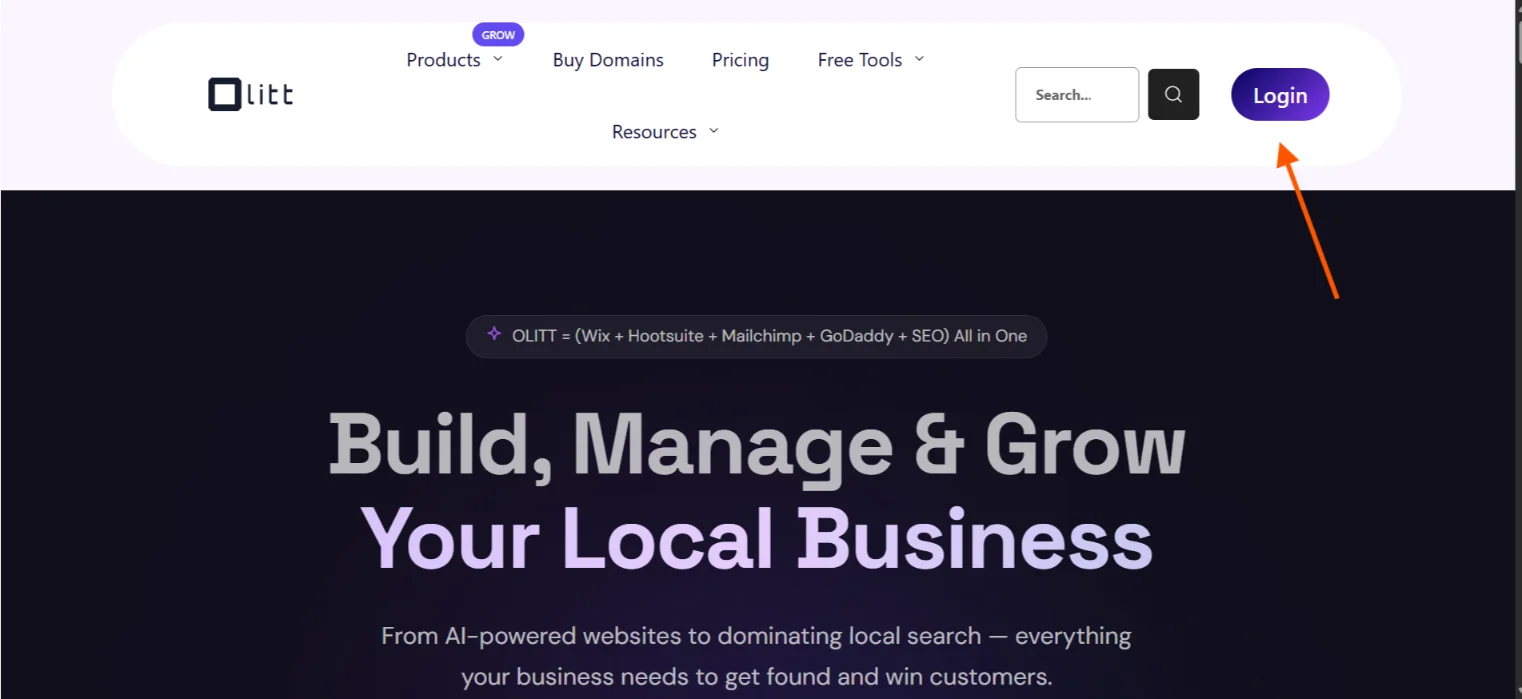
I headed over to Ollit AI’s website, created an account, and logged in.
The sign-up process is straightforward; nothing unusual here.
Step 2) Answer the Onboarding Questions
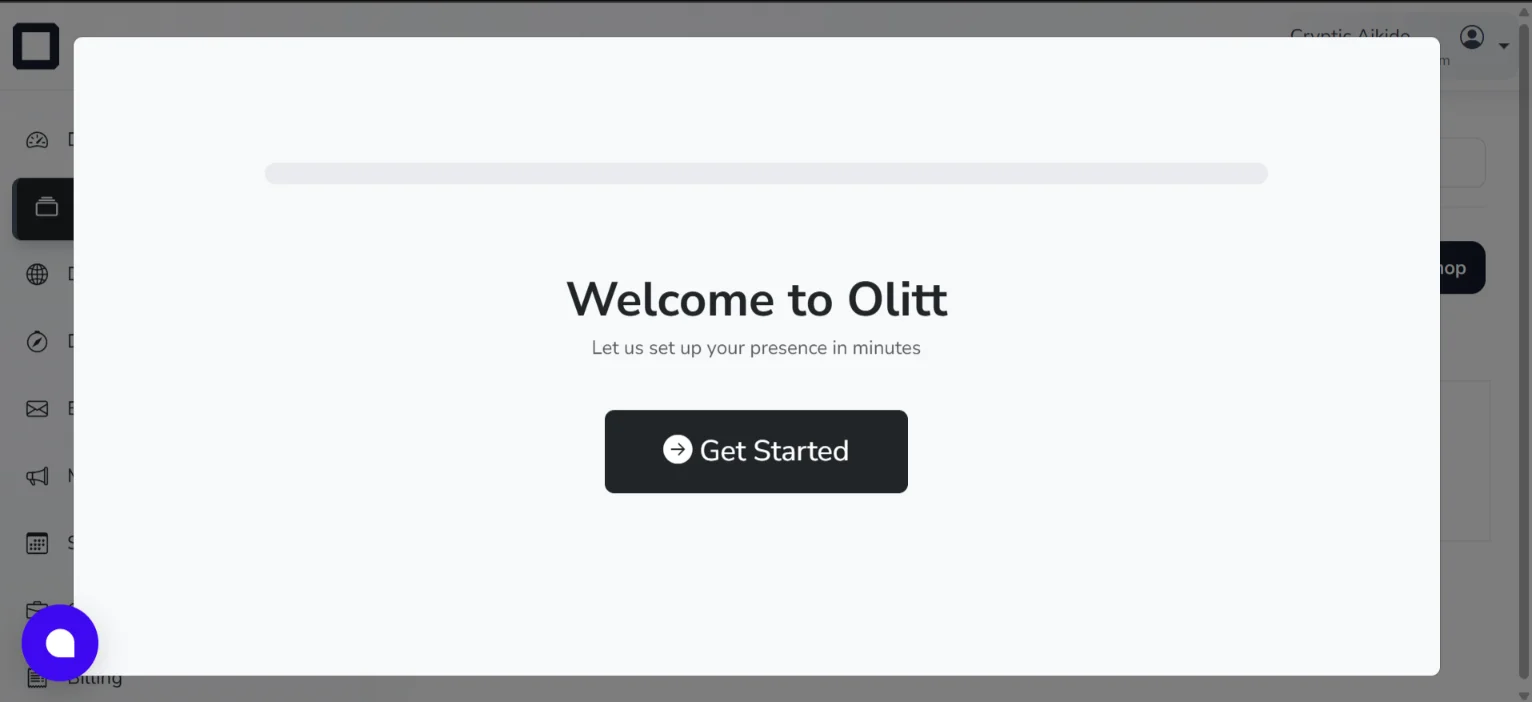
After logging in, I was directed to a new page where I hit Get Started.
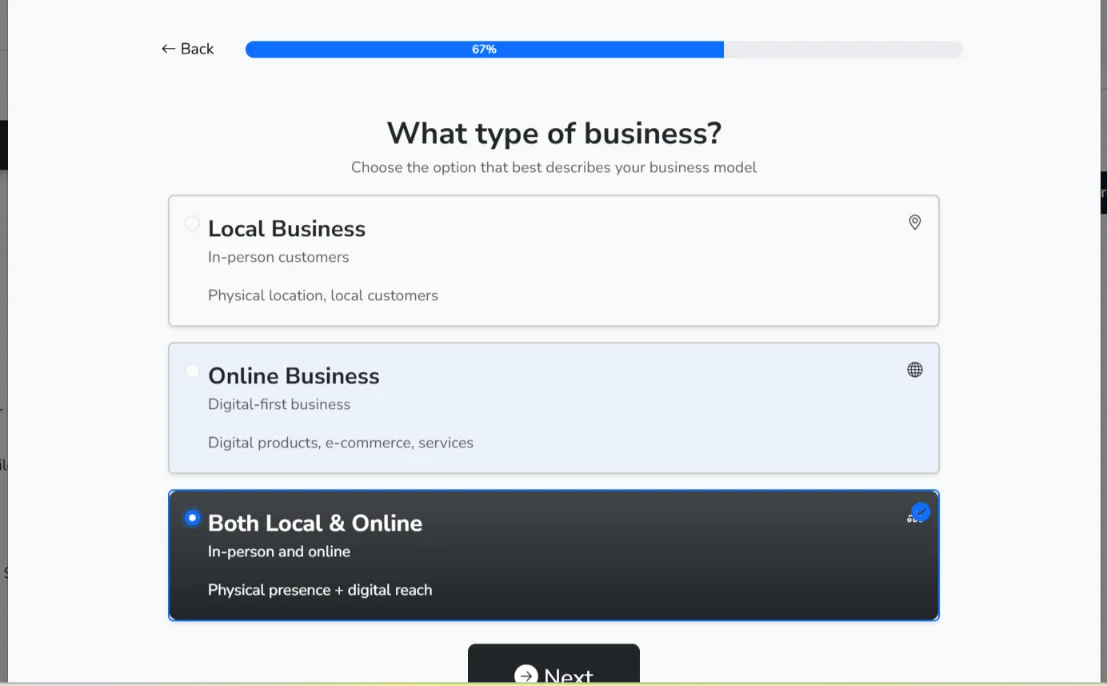
Since it was my first time, Ollit walked me through two quick onboarding questions:
- Are you a business owner? – I selected Yes.
- What type of business are you in? -I selected both local and online.
Once done, I hit Launch Ollit to move forward.
Tip: If your website is meant to serve clients or customers, selecting Yes on the first question is the way to go. It tailors the experience accordingly.
Step 3) Navigate to the Websites Section
I landed on the Ollit AI dashboard, scrolled down to the Websites section, and selected “Create with AI.”
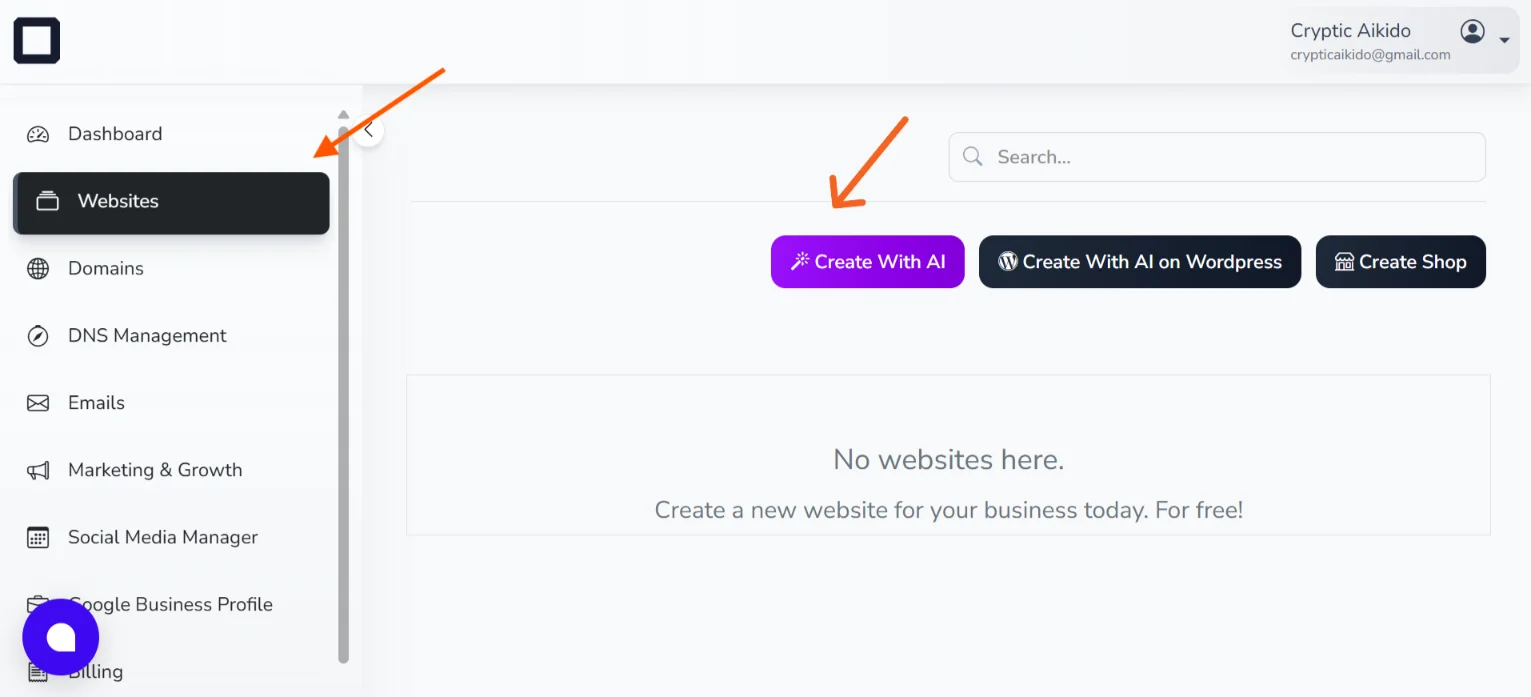
Tip: This section also gives you two other options. “Create for WordPress” and “Build a Store.” If you’re running an e-commerce business or already use WordPress, these options are right there for you.
Step 4) Answer Ollit’s 10 Business Questions
After selecting “Create with AI,” I was taken to a new page where Ollit asked me around 10 questions about the business.
The questions were:
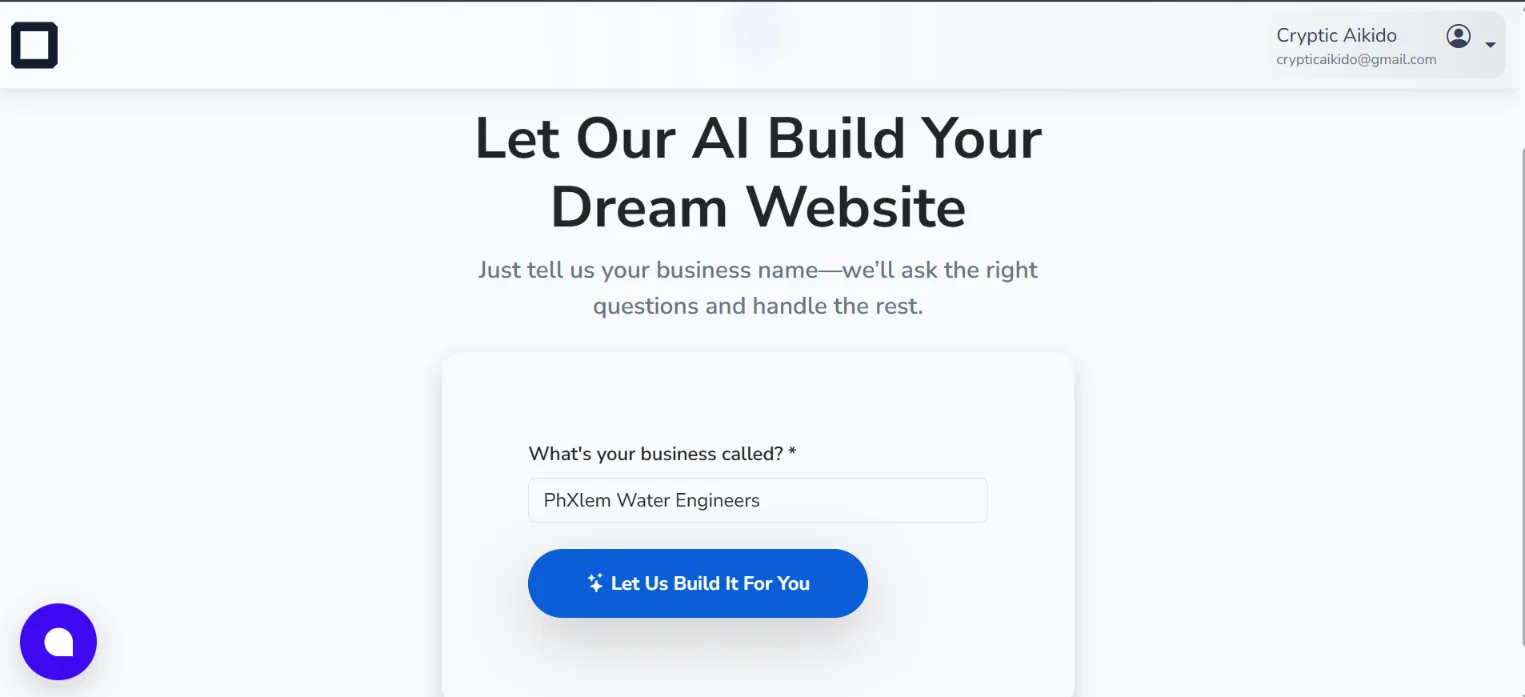
- What’s your business called?
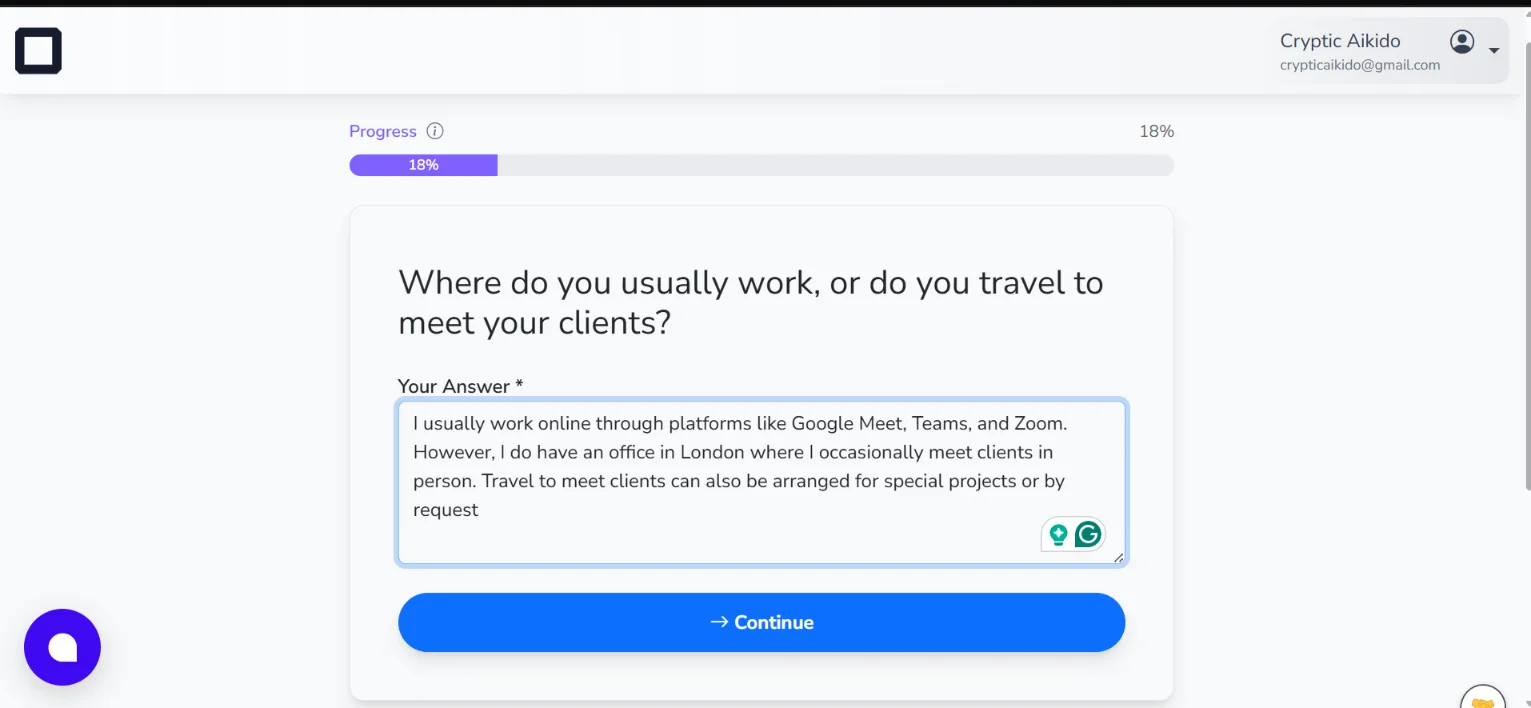
- Where do you work, or do you travel to meet clients?
- What kind of colors feel right for your brand?
- Could you share the best way for clients to reach out to you?
- When are you usually open for business?
- Are there any specific awards or certifications that show off your expertise?
- Do you have any client reviews or success stories we can feature?
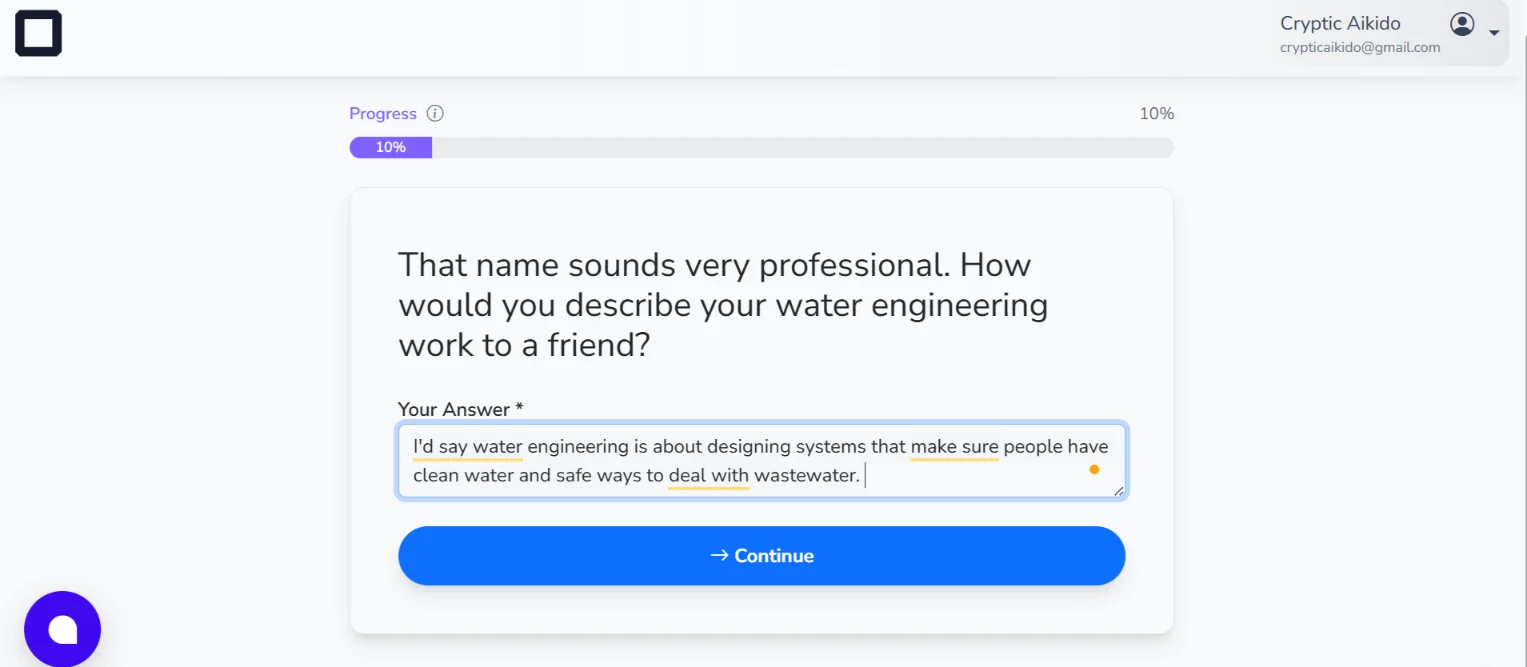
- What is the primary problem you solve for your water engineering clients?
- What kind of price range or service packages should we mention for clients?
Tip: Answer the questions like you’re talking to a human, the AI will understand. That said, the more specific and detailed your answers, the better your website will turn out.
Here are some of the answers I provided:
Step 5) Review the Website Description and Proceed
After answering all 10 questions, Ollit generated a general description of what the website would look like.
I looked through it, and it was pretty much spot on.
I then clicked “Create My Website” to proceed.

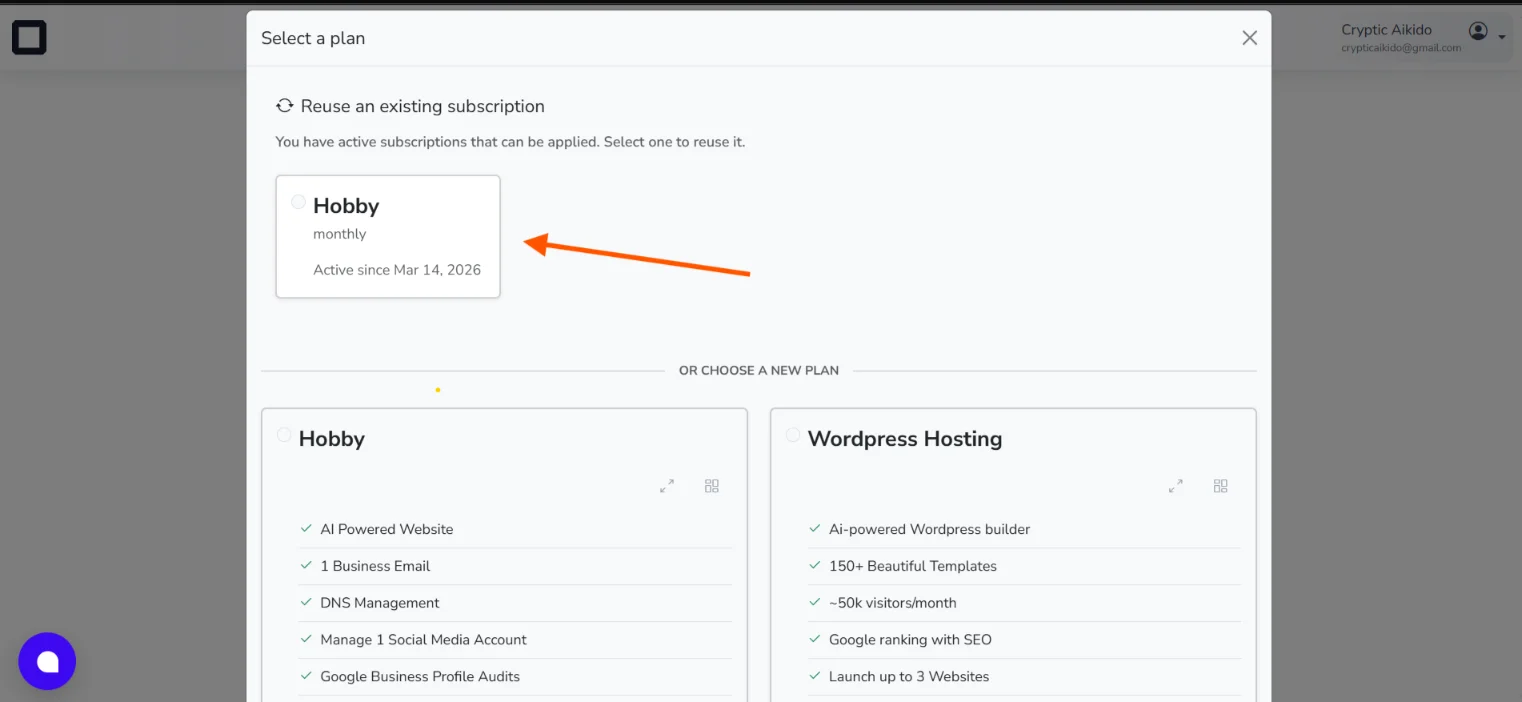
Step 6) Select a Plan
Clicking “Create My Website” triggered a prompt to select a plan.
I was on the free plan, so I went with the Hobby Plan.
Ollit does have paid plans if you need more features.
Step 7) Watch the Magic Happen
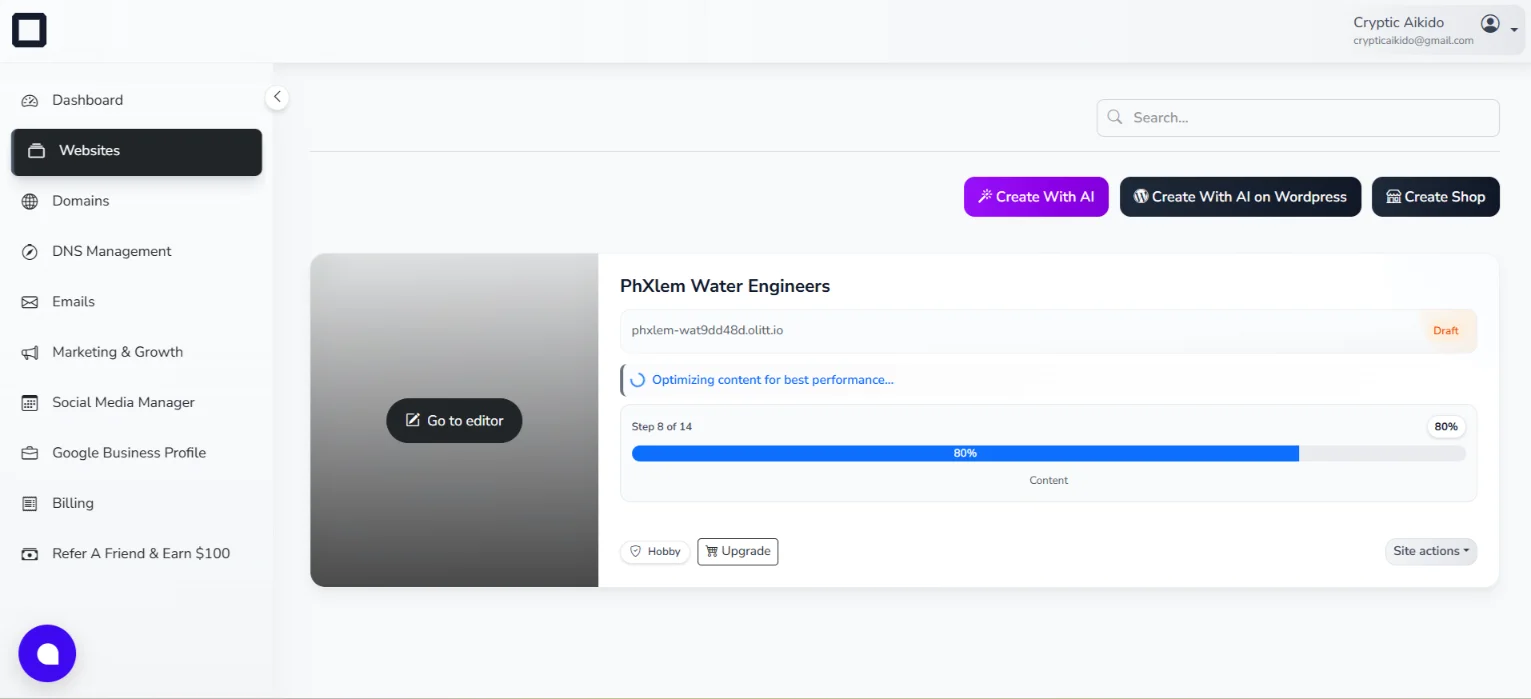
I was taken back to the Ollit dashboard, where I could watch the website being built in real time.
The AI actually shows you what it’s working on as it goes; it’s genuinely satisfying to watch.
The whole process took less than 5 minutes.
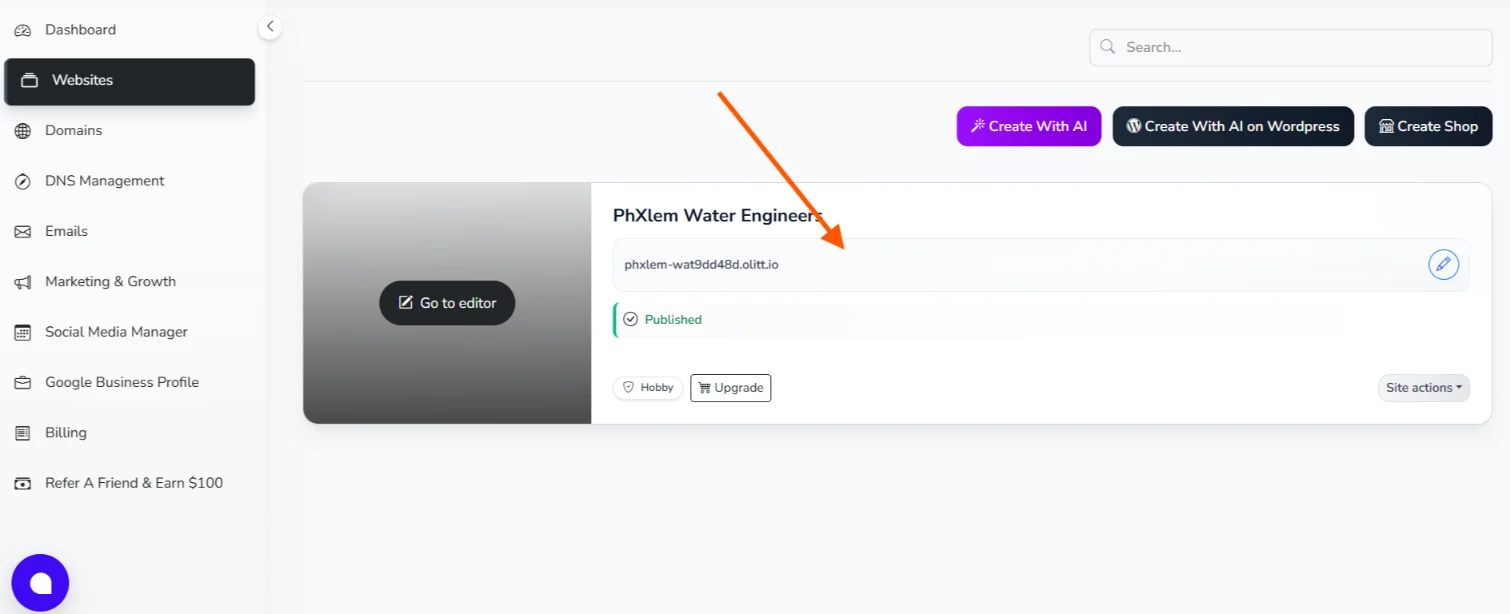
Step 8) View the Website
Once the build was complete, I clicked on the website’s name in the dashboard, and it opened in a new tab.
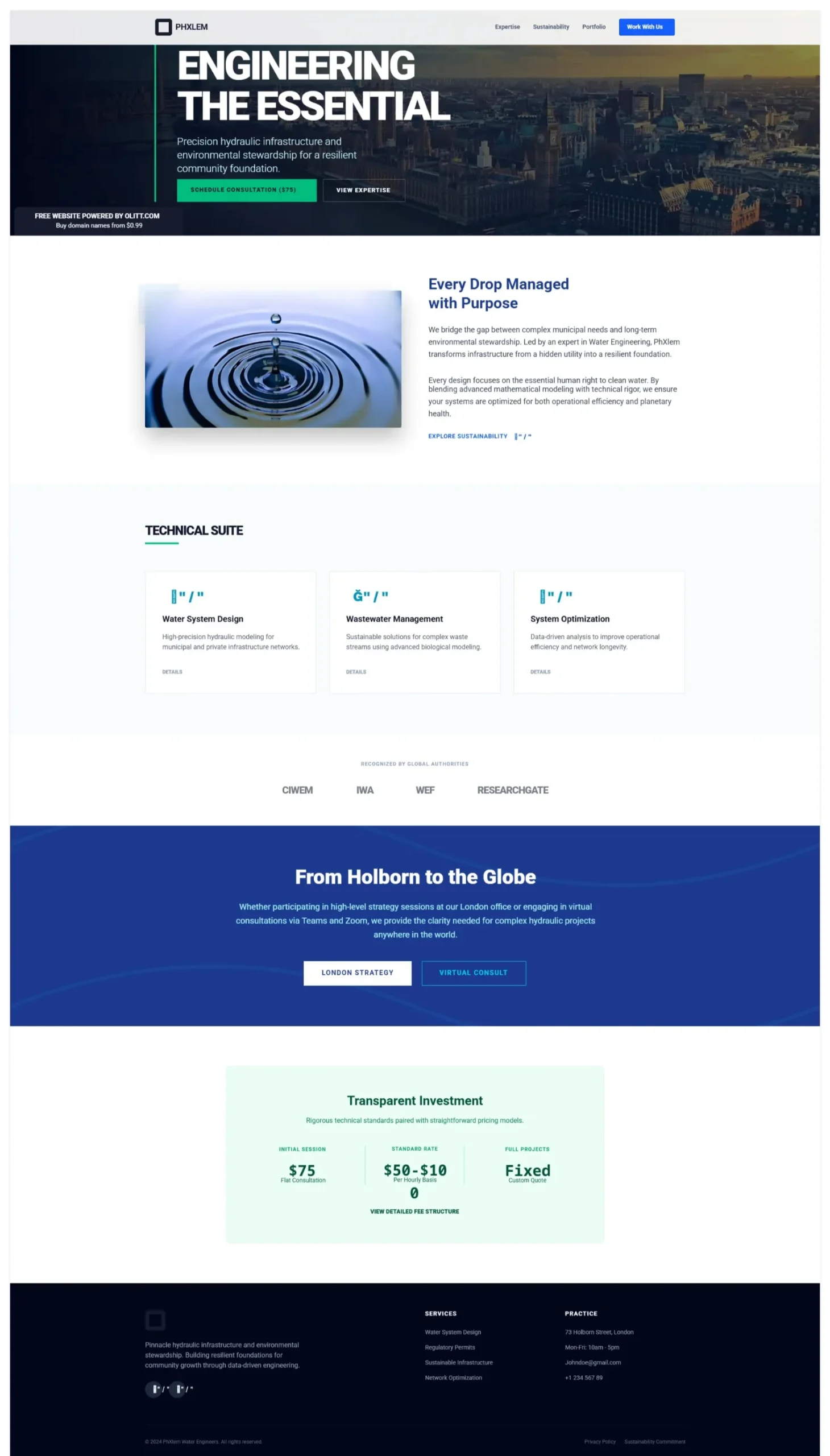
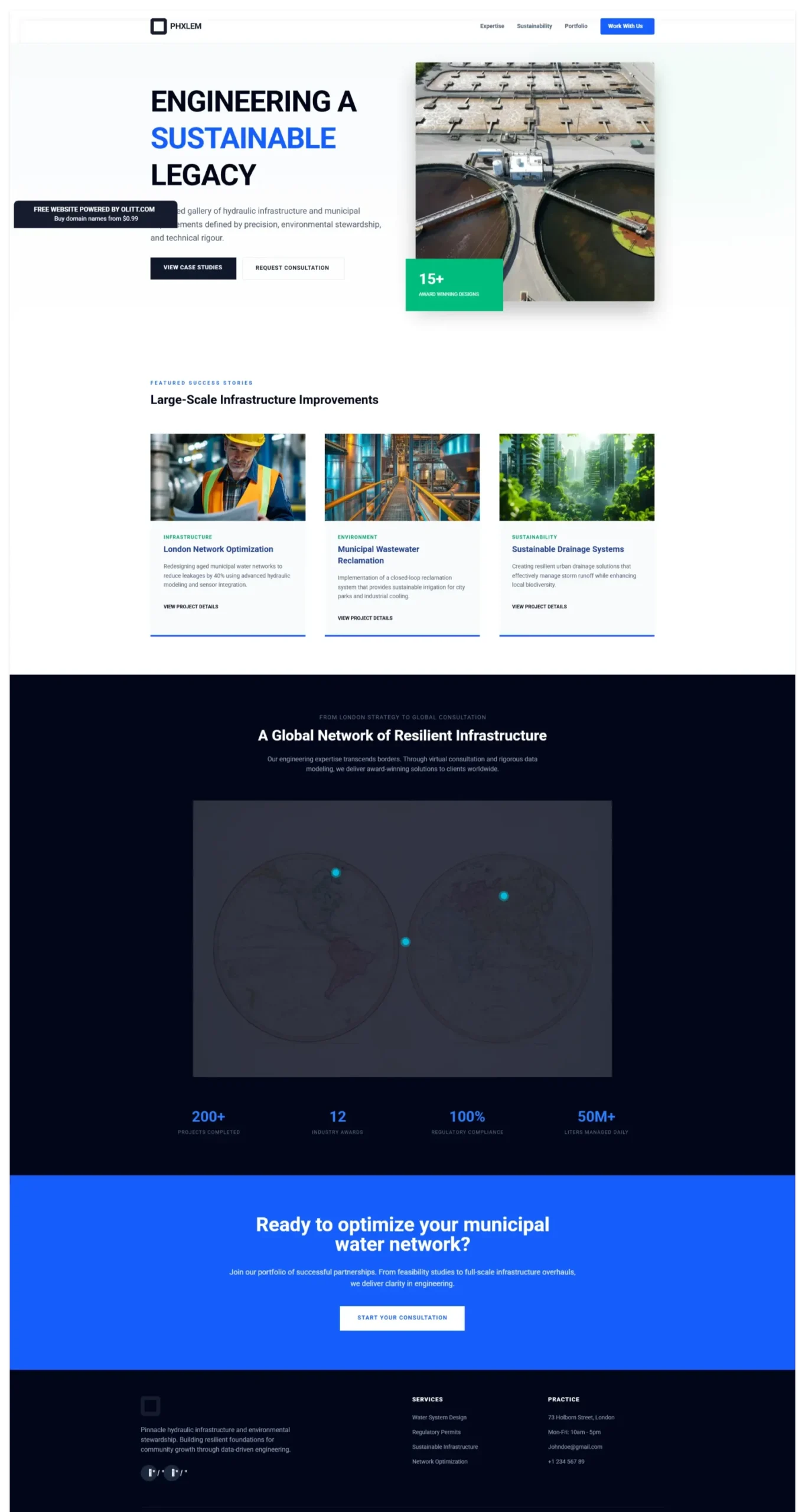
The website was clean, professional, and well-structured.
I was impressed.
Here are screenshots of some of the pages:
Step 9) Edit in the Dashboard
Back on the dashboard, I clicked “Go To Editor” on the newly created website.
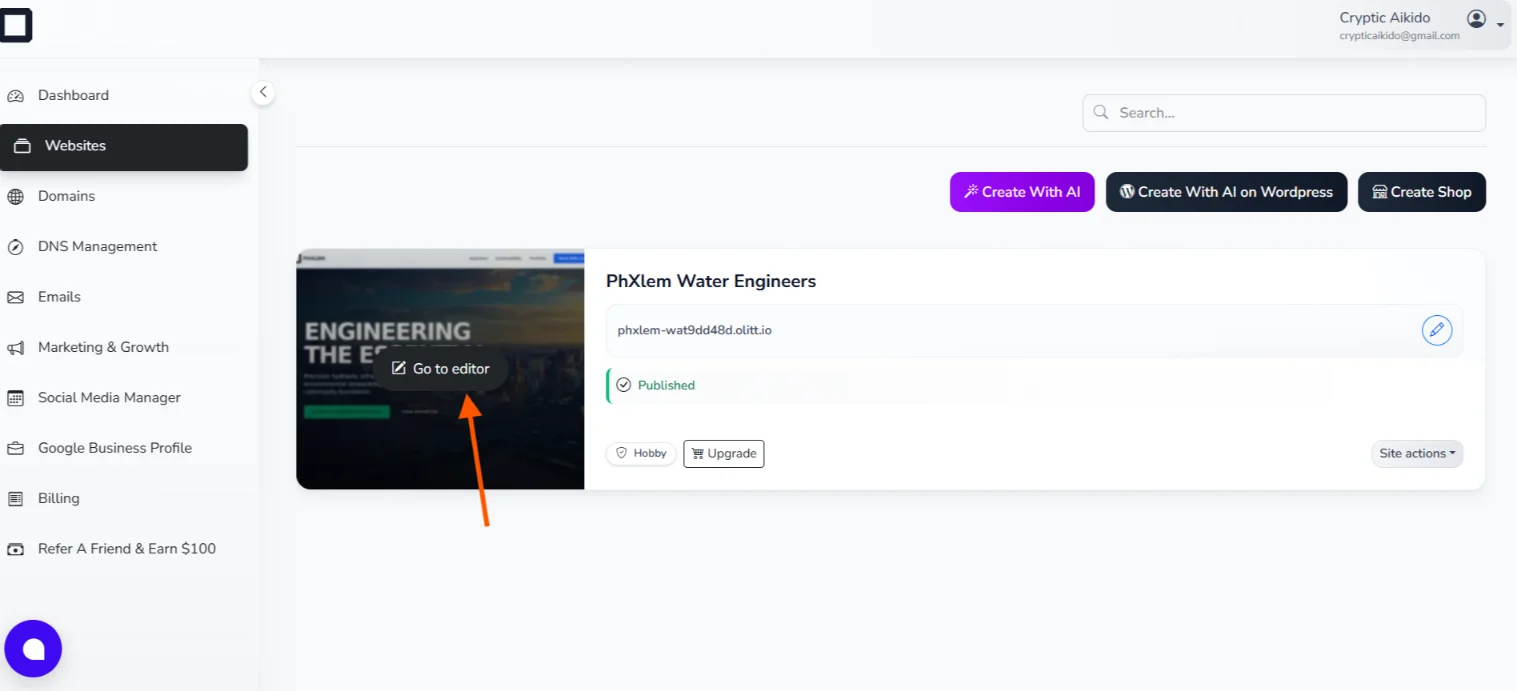
This opened an editor that lets you customize every element; pages, text, images, colours, layout, everything.
All that’s left is for my friend to swap out placeholder content with real details.
Making the Website Live
So the website looks great. But, it only exists inside Ollit’s ecosystem.
For my friend to actually share it with the world, he needs two things at the very least: A domain name and web hosting.
A domain name is your website’s address on the internet (e.g., Patelwaterconsultancy.co.in).
Hosting is the service that stores your website’s files and makes them accessible to anyone who types in that address.
For this, I’d recommend Truehost.
Here’s why:
a) Affordable pricing –Truehost is one of the most budget-friendly hosting providers, which makes it ideal for small businesses and independent consultants who don’t want to overspend on infrastructure.
b) Extensive domain options – Whether you want a .in, .co.in, .consulting, or any other extension, Truehost has a wide range of domain options to choose from.
c) Multiple hosting plans – Truehost offers shared hosting, VPS, cloud hosting, and more. For a consultancy website like this one, shared hosting is sufficient and keeps costs low.
d) 24/7/365 customer support – If anything goes wrong or even if you just have a question, Truehost’s support team is available around the clock, every single day of the year.
e) Local presence – For businesses operating in India, Truehost has a strong regional presence and understands the local market, which is a plus.
Getting your site live on Truehost is straightforward: register your domain, sign up for a hosting plan, and then connect your Ollit-built website to your new domain.
We’ll go over the exact step-by-step process when my friend chooses the plan he wants to go with.
Conclusion
Vibe coding isn’t just a trend.
For small businesses, consultants, and entrepreneurs who need results without massive budgets or technical teams, it’s a genuinely practical approach.
The whole process of creating my friend’s website took less than 20 minutes.
Give Ollit AI a try, get your domain through Truehost, and you might be surprised at how quickly you can establish a serious online presence.
Visit our homepage to learn more about how we can help.